
Not a web page pretending to be an application
Native, for real
Tortilla is built on rapport, its own UI library, which uses each platform's real widgets: Win32 on Windows, and GTK 4, GTK 3 or Qt 6 on Linux, picked when it starts to match your desktop. Your theme and fonts apply, because they're the toolkit's own.
Quick on its feet
It opens in an instant and scrolls through years of history without stuttering, keeping pace with high-refresh displays. Written in C++, with libgit2 for reading the repository and git itself for the work.
At home if you know TortoiseGit
Tortilla follows TortoiseGit's dialogs and menus, so the muscle memory carries over, and now it runs on Linux too. Right-click a folder, pick Commit or Show log, and you're there.
What's in the shell
-
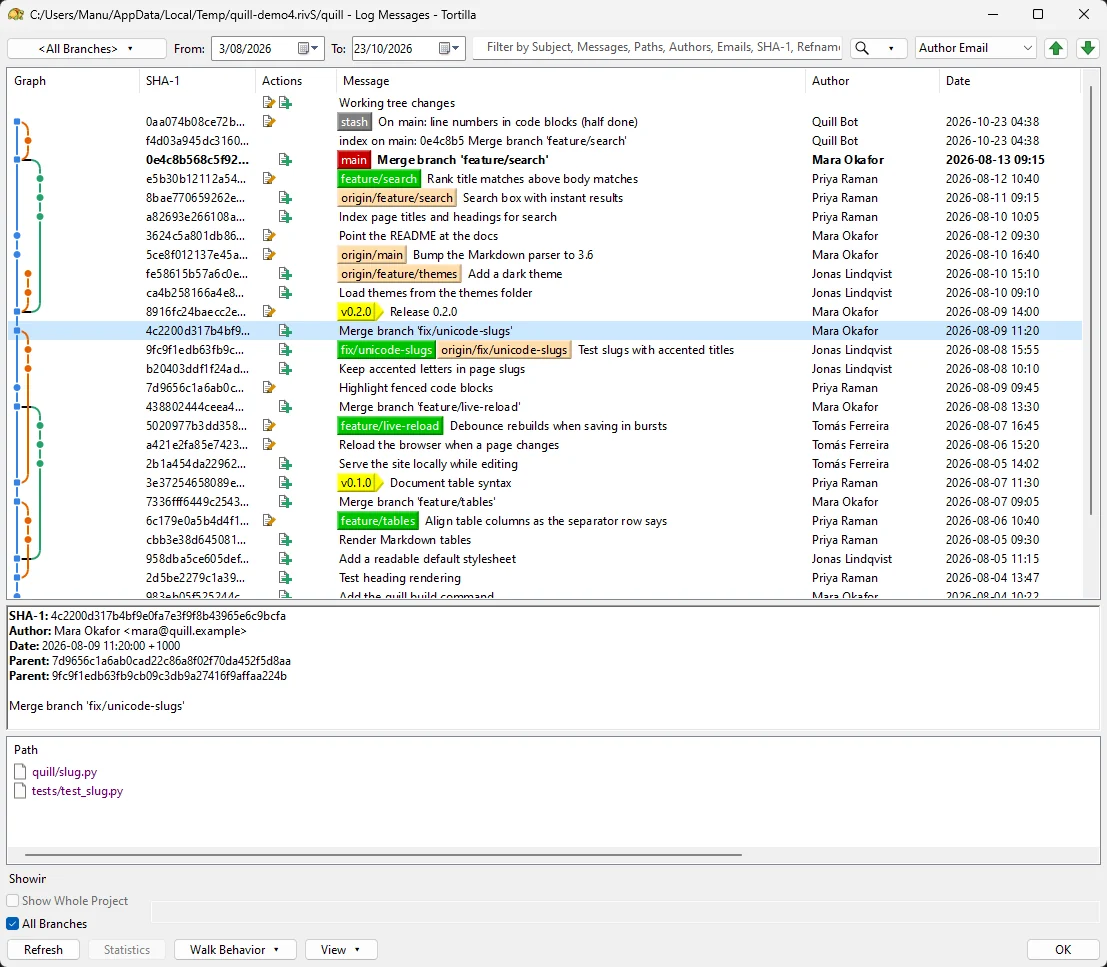
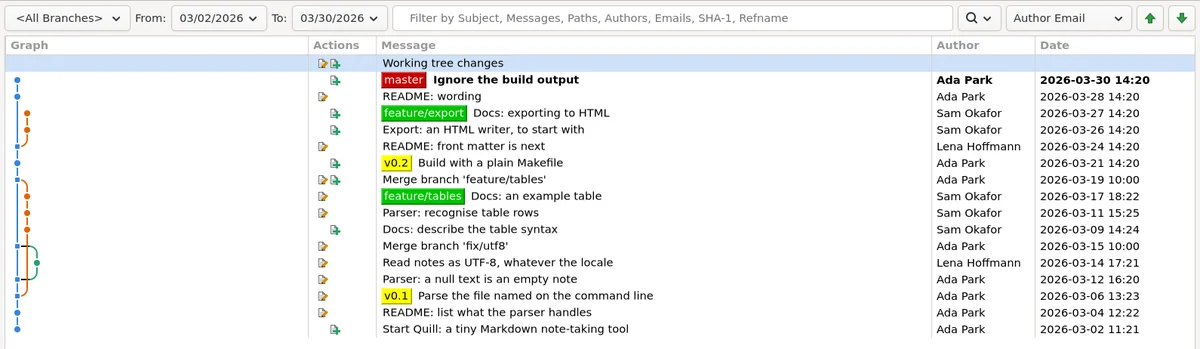
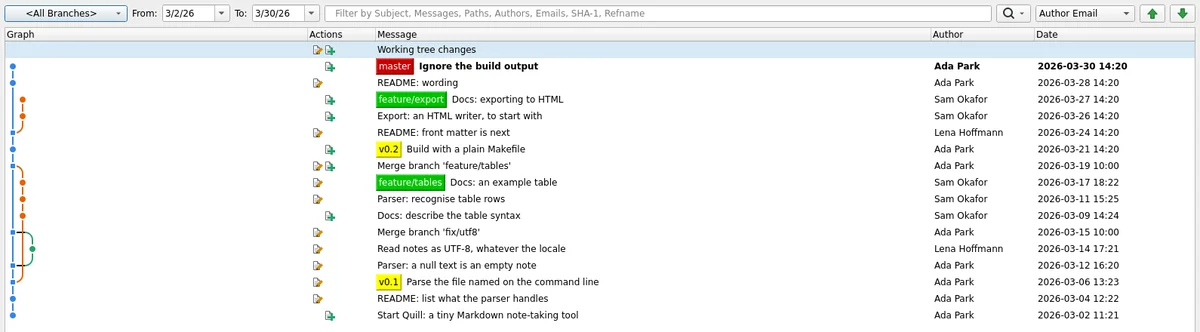
Log and commit graph
Branch and tag labels, filters and date ranges, the commit's details and changed files. Drag a label onto a commit to move the branch; double-click it to switch.
-
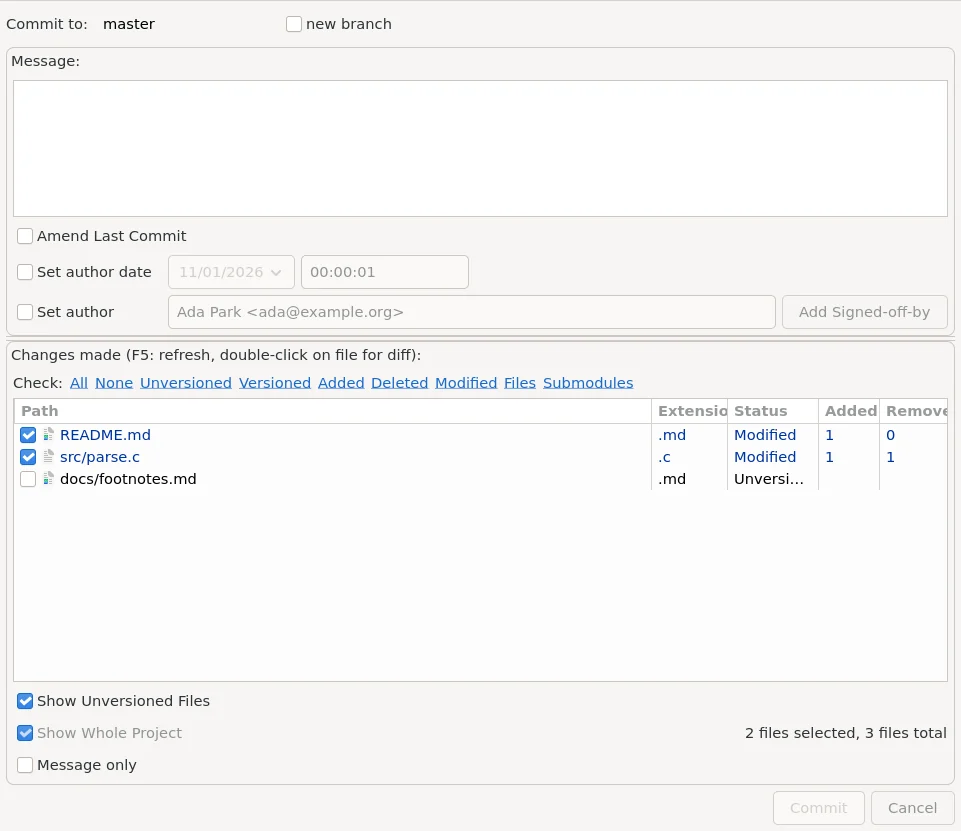
Commit
Pick the files, amend, set the author or date, add Signed-off-by. Mark a file to restore after the commit, to split a change across several commits.
-
Check for modifications
Every change in the working tree, with filters and statistics, and Commit or Stash from the same window.
-
Interactive rebase
Pick, squash, edit or skip each commit, and reorder them, before starting the rebase.
-
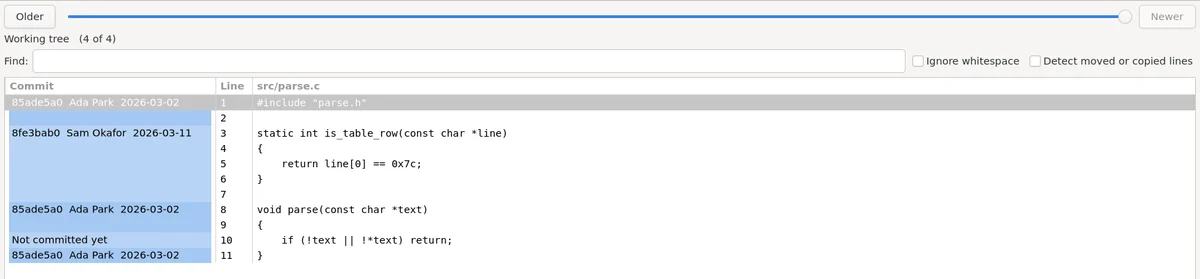
Blame
Each line with the commit that last changed it, shaded by age, and a slider to step back through the file's history.
-
Diff your way
A built-in unified diff viewer with find and save, or hand off to your own tool: WinMerge, Beyond Compare, Meld, KDiff3 and others.
-
Branches and the rest
Branch, tag, switch, merge and reset; stash, reflog, bisect, worktrees and submodules; and a conflict editor when a merge needs a hand.
-
Remotes
Clone, fetch, pull and push, with progress you can watch.
-
Forge accounts
Sign in to GitHub, GitLab or Gitea and Forgejo with a token or through the browser; tokens live in your system keychain.
Screenshots
The same windows on each platform, wearing whatever the desktop is wearing.
Platforms
Windows
Win32 widgets throughout. Tortilla adds its menu to Explorer's right-click menu, and status badges on file and folder icons show what's modified, added or conflicted at a glance. It uses Git for Windows to run git.
Linux
GTK 4, GTK 3 or Qt 6, whichever suits your desktop, chosen when it starts (or pick one with --ui). Context menus for Nautilus, Nemo, Caja, Thunar, Dolphin and PCManFM.
There's no macOS version.
Status: early days
Tortilla is young and moving quickly. The log, commit, rebase, diff and file-manager menus work today; more of TortoiseGit's dialogs arrive as they're written.
There are no releases yet. Installers for Windows and packages for Debian, Ubuntu, Fedora and Arch are on the way; until then, CI builds them on every change, and you can build from source:
git clone --recursive https://github.com/TurkeyMan/tortilla.git
cd tortilla
cmake -S . -B build -G Ninja
cmake --build build
build/bin/tortilla log /path/to/a/repo
You need CMake 3.25, a C++23 compiler, libgit2, and on Linux the development files for GTK 3, GTK 4 and/or Qt 6.